Online text analysis — Istio
Estimates keyword density, filler content and stuffing. Analysis works for English, German, Russian, Ukrainian, Spanish, French, Portuguese and Polish.
Istio counts words and characters, finds repetitions and highlights keywords. These metrics help with editing.
Keyword density and filler scores do not guarantee search rankings. There is no universal target score for every text.
What text analysis shows
SEO text analysis lets you assess keyword percentage and stop-word count. The service shows:
- Keyword density and ratio to the text core
- Word and character counts, with and without spaces
- Vocabulary size and core dictionary
- Word frequency, including the top 10 most used words
- Auto detects the text language independently of the interface. If the result is uncertain, select a language manually. Your selection is preserved; the detected language is shown separately.
- Filler (fluff) percentage
Istio automatically counts characters and evaluates stuffing and filler. Keywords and filler are highlighted, and a clear frequency chart is drawn.
Keyword density and stuffing check
Classic keyword stuffing is the square root of the highest word frequency, including stop words. Three occurrences give 1.73; an empty word list gives 0. Values are truncated to two decimal places. Morphology can combine word forms. The previous minimum of 2.64 has been removed.
Enter queries in the Highlight Keywords field; the service outlines them in color.
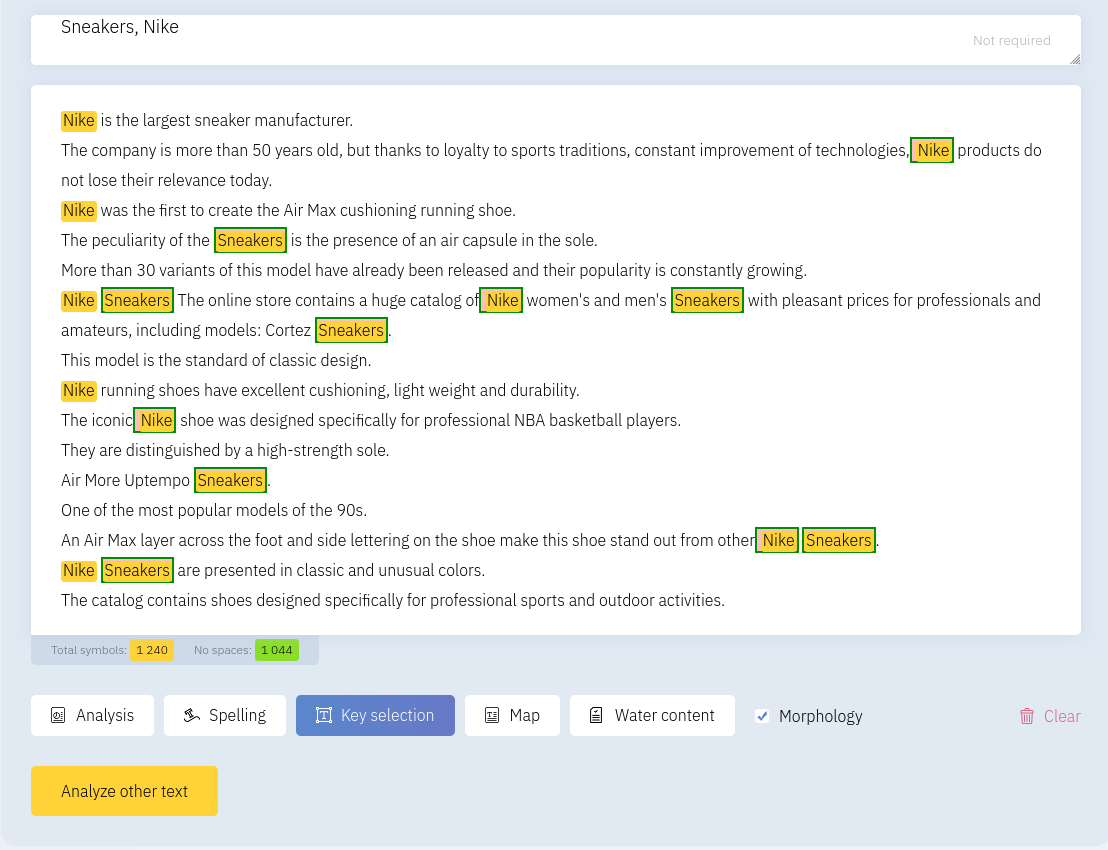
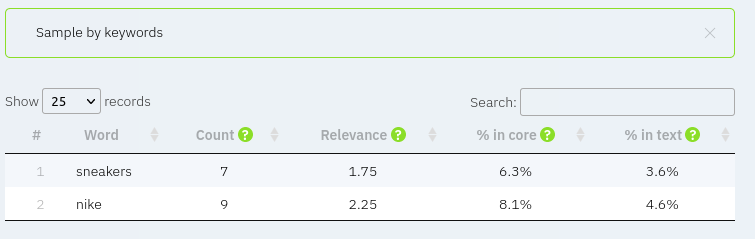
Counts and percentages of key phrases in the core and the full text appear at the bottom of the page.
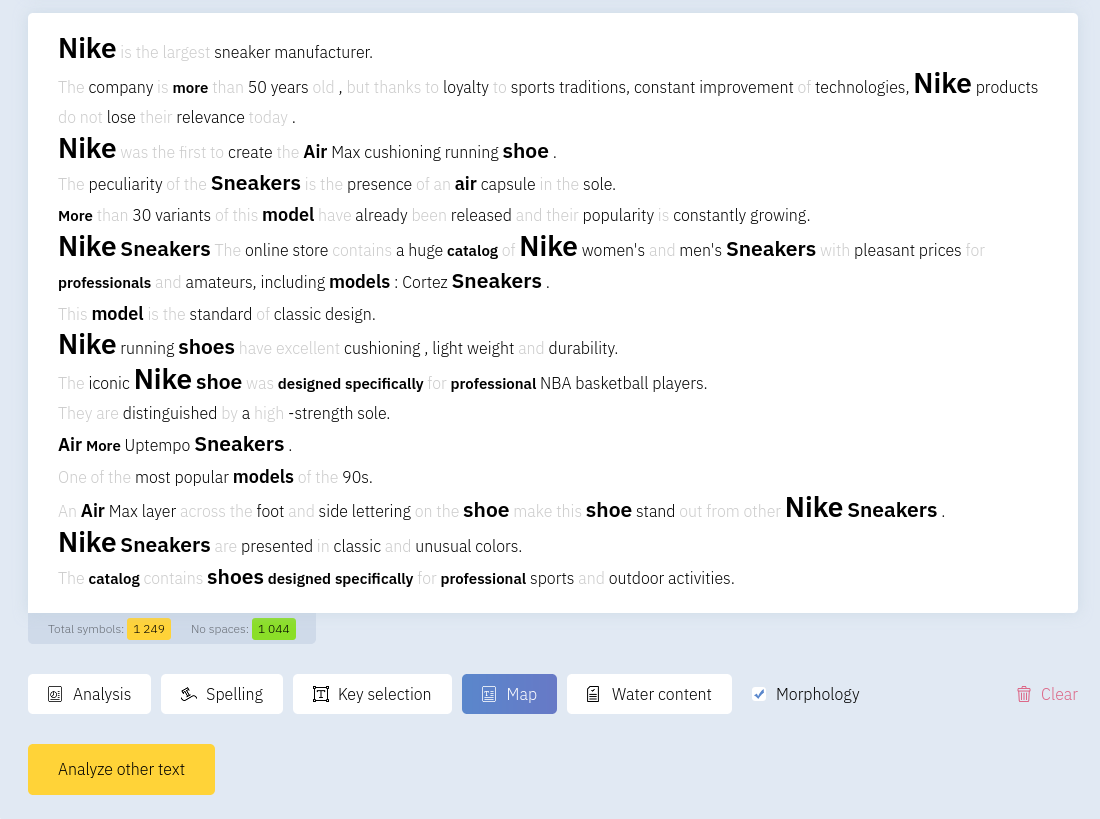
The word map visualizes frequently repeated units and their spacing in the text.
Filler content
Filler analysis uses language-specific stop words and words shorter than three characters. This is a statistical measure, not a judgement of whether a word is useful.
The highlighting shows matches with the stop-word list and short words.
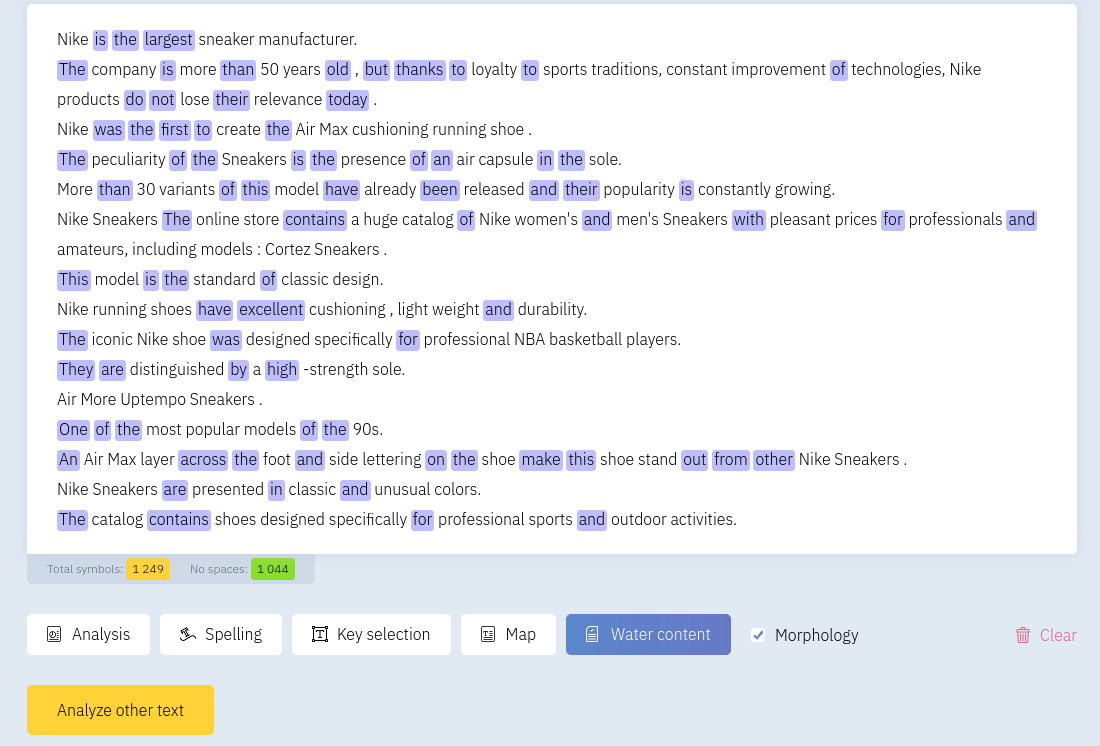
Do not delete words merely to lower a score: pronouns, prepositions and conjunctions can be necessary for meaning.
Character count and word frequency
Character counters include or exclude spaces. Word frequency is shown relative to all words and to the text core.
To check filler, keyword density and phrase frequency:
- Open Text Analysis and paste the article
- Optionally enter keywords in the keyword list
- Click Highlight Keywords to see their positions
- Open the map to see the most frequent units
- Click Filler to highlight insignificant phrases
Auto detects the text language independently of the interface. If the result is uncertain, select a language manually. Your selection is preserved; the detected language is shown separately.